Plan screen time into clear blocks so it stops bleeding into your day, using ADHD-friendly structure designed for real-world follow-through.
Free, print-ready PDF.
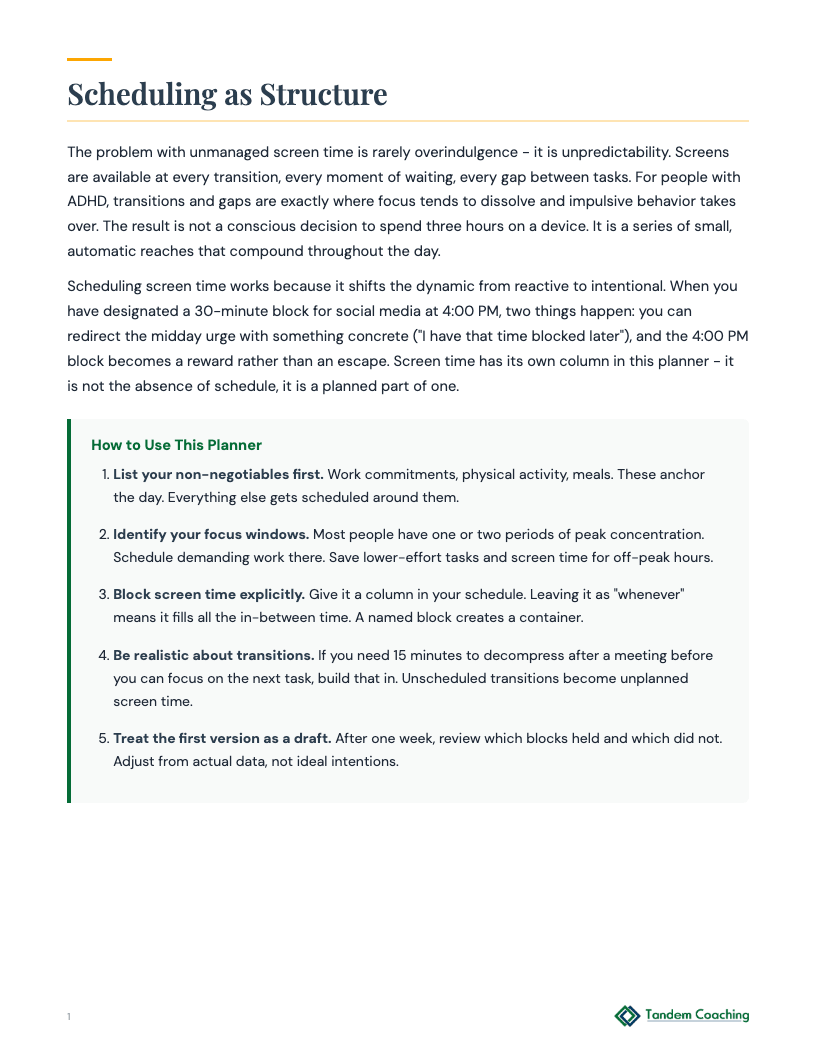
Rather than restricting screens outright, this is about designing when they fit into your day on your terms. What would a screen schedule look like that felt freeing rather than punishing?
A client with ADHD who is a content strategist has tried multiple times to limit recreational screen use during work hours using willpower and good intentions. Each attempt lasts a few days before collapsing. They know the problem is not motivation - they genuinely want to work without interruptions. The problem is that when focus breaks down on a difficult task, the path to a screen is automatic and the path back from a screen is very long. Coaching focus is building sustainable productive work blocks.
Frame this as environmental design, not behavioral management: 'Willpower works for the first day, maybe two. After that you need structure that does the work for you. This schedule creates explicit windows so your brain knows when screen time is allowed, which reduces the constant background decision about whether now is okay.' The ADHD-specific dynamic here is that ambiguity about what is permitted is cognitively costly - every impulse toward a screen requires a decision, and decision fatigue compounds across the day. Pre-decided windows remove the decision. Some clients resist schedule-making because they associate it with rigidity or because past schedules have failed. Address this: 'We are not building a schedule you have to follow perfectly. We are building a structure that reduces the cost of not following it.'
Watch for the client's scheduled windows being too generous - 'social media break 10am-11am, 1pm-2pm, 4pm-5pm' on a day when they need to produce substantial work. The schedule reflects what the client wants to allow rather than what their work actually requires. Ask: 'If you use all three of those windows, how many focused hours does that leave, and is that enough?' Also watch for the schedule being aspirational (no recreational screen time before noon) rather than realistic (one 15-minute window mid-morning). An aspirational schedule will fail. A realistic schedule builds the habit.
Do not ask 'did you follow the schedule?' Ask 'where did the schedule work, and where did it break down?' The breakdown points are more informative than the compliant points. For each breakdown: 'What was happening right before you went to the screen outside the window?' The answer is usually either a task transition (just finished something, haven't started the next thing) or a difficulty spike on a specific task. Both have different interventions. Build the client's understanding of their own trigger points rather than reinforcing the schedule as an abstract good.
Array
A client with ADHD who is a director of operations uses screens from the moment they wake until they sleep. Evening screen use is continuous and they have stopped engaging in activities they previously valued - reading, cooking, exercising, spending time with their partner. They have set general intentions to 'be on my phone less' but without a specific structure, the intention dissolves by 7pm. Coaching goal is reconnecting with off-work activities that support recovery.
Frame this as a time allocation problem, not a screen time problem: 'You have said you want to read again, exercise, cook. Those things have to go somewhere in your evening. Right now screens are occupying all the available space. This schedule is about protecting time for those things, not about punishing yourself for screen use.' The client's resistance will likely focus on the idea that they 'deserve' to relax with screens after a demanding day. Do not contest that - agree with the underlying need and redirect to what recovery actually requires: 'You do need to decompress. The question is whether screens are actually giving you that, or whether you finish the evening feeling like you didn't get what you needed.'
Watch for the client building a schedule that designates screen-free time but filling it with work tasks rather than recovery activities. The screen is replaced by a different form of depletion. Ask: 'What will you actually do during those hours?' The answer should include specific activities, not just 'no phone.' Also watch for the first two or three evenings of the schedule succeeding because of novelty and commitment, followed by a return to previous patterns when the novelty fades. Pre-frame this: 'The first week usually works because you're actively trying. After that, it needs to be easier to follow the schedule than to deviate from it - so let's build that into the design.'
Start with which part of the evening is hardest to protect: 'Is the screen creep happening at 7pm or at 9pm?' The inflection point tells you what the trigger is - usually either work tasks bleeding into evening (7pm trigger) or boredom or discomfort after the initial activity ends (9pm trigger). Each trigger has a different response. For the 7pm trigger, build a hard work cutoff. For the 9pm trigger, look at what the client is doing in the 8-9pm window and whether it is actually enjoyable or just obligation. The goal is not screen-free evenings as a virtue - it is evenings that feel restored.
Array
A client with ADHD who is a parent of young children and works remotely has a daily schedule that varies significantly based on childcare logistics, partner's schedule, and meeting load. Previous attempts at screen scheduling have failed because the schedule built in coaching does not match the actual shape of their day. They want a framework flexible enough to work across different day types rather than a rigid daily template.
Frame this as a template-per-day-type rather than a single schedule: 'Instead of building one schedule, let's build three - a meeting-heavy day template, a clear-blocks day template, and a disrupted day template. You choose which one applies each morning.' This approach works with ADHD executive function rather than against it - it reduces the daily planning demand to a classification decision (which type of day is this?) rather than a construction task (build today's schedule from scratch). The screen time windows differ across templates based on what each day type can sustain. This also pre-builds a version of the schedule for the client's hardest days, when the risk of screen overuse is highest.
Watch for the client defaulting to the 'disrupted day' template too frequently - using the most lenient version as the default because it requires the least discipline. Ask: 'How many of your days last week were actually meeting-heavy, clear-blocks, or disrupted?' If most days get classified as disrupted, either the client is using the classification as an escape hatch or their actual schedule is genuinely chaotic in a way that needs to be addressed as a separate coaching topic.
After one week, ask the client to report how many days fell into each template category and whether the screen windows in each template actually worked. Look for systematic mismatches: 'You used the clear-blocks template three times, but you said screens bled over in all three of them. What was different about those days from what the template assumed?' Adjust the templates based on actual performance, not ideal behavior. The goal is templates that work in the real conditions of this client's life, not templates that describe how they would behave with perfect discipline.
Array
ADHD adult who feels overwhelmed by competing demands and can't prioritize what to work on first
ADHDADHD adult whose digital environment is disorganized and adding cognitive load
ADHDADHD adult who knows what needs cleaning but can't decide where to start
Step 4 of 6 in A client who starts projects with energy but loses momentum before they're done
Next: ADHD Monthly Overview → Explore all pathways →