AI in Your Coaching Back-Office: What’s Safe, What Needs Care
Where does AI belong in a coaching business?
AI belongs in your back-office - the work that surrounds the coaching, not the conversation. Drafting your own writing, scheduling logistics, summarizing public material, and your own development are safe uses. Anything that holds identifiable client data needs care: it gets vetted first. AI in the live session is a separate decision.
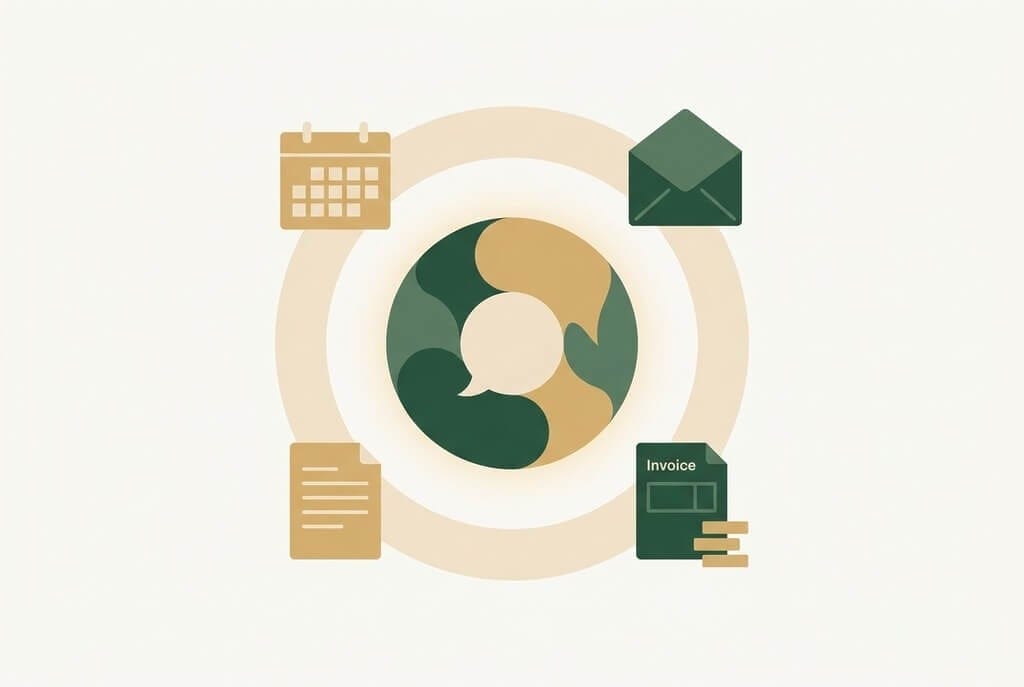
Your coaching practice has two layers. There is the conversation - the fifty minutes, the one client, the relationship that does the work. And there is everything around it: the scheduling back-and-forth, the session notes, the invoices, the follow-up emails, the marketing, your own development. Most of the confusion about "AI in coaching" is a failure to say which layer you mean. This article is about the second one - the back-office - and only the second one.
The conversation layer has its own answer, and it is not this article's. Here the question is narrower and far more answerable: of the work that surrounds the coaching, which parts can AI take, which parts can it take only with care, and does any of it change what your practice earns? For the whole picture across both layers, you can go back to the full AI in coaching guide.
Key Takeaways
- Your practice has two layers. The conversation is governed by the ICF Core Competencies; the back-office is mostly a practical question - does the tool work, is the data handled properly, is it disclosed where it touches a client.
- A back-office AI use is safe when it touches no identifiable client data, or only data the client knowingly provided for that exact purpose, and never the conversation itself. By that test, drafting your own writing and your own development are confident yeses.
- "Needs care" is not a no. It is a set of nameable conditions - mostly that a tool touching client data has to pass a vetting test before it goes any further.
- The most common back-office mistake is adopting an AI feature without noticing it is one - the "insights" panel a vendor adds to a CRM you already trust.
- Back-office AI is a capacity tool, not a growth engine. It returns hours; whether those hours become revenue depends on what you do with them.
The two layers are not equal in risk. The conversation layer is governed by the ICF Core Competencies and the Code of Ethics - a high bar, and a different article. The back-office bar is mostly practical: does the tool do the job, is the client's data handled properly, is the tool disclosed where it touches a client. This article covers that second side - scheduling, intake and CRM, notes and admin writing, invoicing, marketing - the recurring operations of a solo or small coaching practice. And it is allowed to say yes: two waves of this cluster have drawn the line carefully at the conversation, so inside the back-office the answer can be a confident, specific yes. Tandem's practitioner series course covers AI coaching platforms and the rest of the back office in more depth.
Where AI Is Safe in Your Back-Office
AI is safe in your back-office when a use touches no identifiable client data - or only data the client knowingly handed you for that exact purpose - and when it does not touch the coaching conversation itself. That criterion is the whole sort. It does not care how a tool is marketed, how powerful it is, or how AI-shaped it looks - only what the use touches. Apply it, and several back-office uses come back as a clear yes.
Drafting and tidying your own writing. A blog post, newsletter copy, website text, a social post, a first draft of a workshop outline. No client data, none of it the conversation. This is a confident yes - and probably the use you have already tried. One honest caveat, stated here rather than buried: an AI draft needs editing into your own voice before it goes out. Unedited AI writing is detectable, and a coach's audience can feel it. So this use saves you drafting time, not judgment time. You still do the part that sounds like you.
Thinking through your own development. Using an AI tool as a reflective prompt for your own growth as a coach - working a framework against your own habits, examining a pattern in how you show up - with no identifying client detail entered. This is the cleanest use in the article. It touches nothing on the client's side at all, and you owe no one a disclosure for it. (Keep this distinct from using AI to think through a specific stuck client. The moment client detail is entered, the use changes category - that case is in the next section.)

Scheduling logistics. An AI scheduling assistant that handles the booking back-and-forth - offering times, confirming, sending reminders. It holds the client's name and email, so it is not a zero-data use. But the client gave you that information for exactly this purpose: to be scheduled. That makes it safe, with one note carried to the next section about where it gets disclosed.
Summarizing public material for preparation. Having an AI tool condense a public article, a framework, or a book chapter you want to bring into your practice. No client data touches it - the source is public, the output is your prep notes. Safe.
Drafting internal admin language. A policy, a website FAQ, an onboarding email template, a cancellation note. No client data, not the conversation - same logic as drafting your marketing. Safe.
The safe uses are safe because of what they touch, not because of how the tool was sold to you. Learn the criterion and you can sort a use that is not on this list.
A back-office tool will land on your desk next year that none of this anticipated, and the same question will sort it. For "chatgpt for coaches" specifically: a general AI assistant is genuinely useful for the writing, the prep, and the development work above, because it never meets a client. Where it starts holding client information, the answer changes.
Where AI Needs Care in Your Practice
So the safe layer is real, and broad enough to start with this week. The next layer deserves a straight description rather than a vague warning. "Needs care" does not mean no. It means a use comes with a specific, nameable condition, and once you meet it the use is fine.
Run This Sort on Your Own Tools
The ICF-Aligned AI Use Decision Checklist turns this sort into a one-page pass through your actual tool stack. It pairs with Module 2 of the free AI for Coaches course.
CRM and client records that hold identifiable data. A coaching CRM, an intake-form tool, a client database with an AI feature. These hold identifiable client information, often sensitive - notes on what a client is working through, contact details, engagement history. The condition is straightforward: a tool that holds client data passes the same scrutiny any tool touching client data does. You check where the data lives, who can train on it, whether the client can be told. The same four-point vetting test applies to every tool in your stack - this article does not re-teach the four questions, because the vetting article owns them. A CRM with an AI feature goes through that test before it goes anywhere near a client record.
AI features bolted onto admin tools. This is the one coaches miss. The smart-compose in your email client. The AI summary in your scheduling tool. The "insights" panel that appeared in your CRM after a vendor update you did not read closely. An AI feature added to a tool you already use is still a tool that touches client data, and it has not been vetted just because the host product was. You vetted the CRM; you did not vet the AI layer the vendor switched on six months later. The condition is attention: notice the feature, treat it as a new tool. The riskiest AI in a back-office is rarely the big obvious tool. It is the small feature quietly processing client names.
Reflective AI use about a specific client. This is the genuine grey zone, and an honest map names it. Say you finish a difficult session and want to think through your own stuck reaction to the client. Described one way - the pattern you noticed in yourself, with no detail that identifies the client - it is the clean development use from the section above, and owes no one anything. Used another way - pasting in session notes or identifying detail to get the AI to "analyze the client" - it has crossed into a use that touches identifiable client data. That makes it a disclosure question: client data in admin tools still falls under Standard 2.5, and the disclosure article carries the mechanics. One action decides which side of the line the use lands on: whether identifying detail gets typed in.
Invoicing and payment tools with AI features. Lower sensitivity than session data, but still client-identifiable financial information - who paid, how much, when. The condition is standard data-handling scrutiny, the same vetting question at lower stakes. This one is usually disclosed adequately in a written privacy policy.
"Needs care" is never a vague "be careful." Each use has one specific thing to check - a vetting test, a noticed feature, a typed-in detail, a privacy-policy line. The care is finite and nameable, which makes it doable. One limit, though: this map covers a solo or small coaching practice. A coach inside an organization or a strict data-protection jurisdiction has obligations that go further - data-processing agreements, organizational IT policy, the kind of personal-data handling that GDPR, Article 4 defines, where a client's name and email held in an AI-featured tool already count as personal data. A back-office sort is not a compliance program.
Run this sort on your own tools
The ICF-Aligned AI Use Decision Checklist turns this sort into a one-page pass through your actual tool stack - safe, needs care, or out of scope, tool by tool. It pairs with Module 2 of the free AI for Coaches course, which works through AI in your operations end to end. Free download.
What's Out of Scope: The Conversation Itself
The opening promised the conversation layer would be handled elsewhere. This is where that promise gets kept. One category of AI tool is deliberately not on either list.
An AI note-taker that joins the live coaching session - records it, transcribes it, summarizes it - is not a back-office tool. It touches the conversation itself, and the client's most sensitive data: the actual content of what they worked through with you. It carries consent and confidentiality questions the safe-or-needs-care sort cannot resolve, because that sort is built for the operations layer. In-session recording is a separate category, and the note-taker article is the one that adjudicates it.
The boundary is principled, not arbitrary. The back-office is where AI is mostly a workflow question. The conversation layer is where the bar becomes the ICF Core Competencies and the Code of Ethics, and a tool inside the live session has to clear that bar first. The article that endorses the back-office should not also be the article that decides the conversation. If you have an in-session recording decision in front of you, that is the place to take it.
Does AI Actually Change Your Bottom Line?
Under the whole "AI in my coaching business" question is a quieter one most coaches do not say out loud: does any of this actually change what I earn? Back-office AI mostly changes your time, not your revenue. A scheduling assistant and an AI writing draft return hours that were going to non-billable admin. For a solo coach those reclaimed hours are real. But they convert to revenue only if you fill them - with billable coaching or the business development that wins it. Reclaimed time is an input, not an outcome.
Back-office AI also does not lower the cost of the thing clients pay you for. The billable hour is unchanged by a better scheduler; the value clients buy is produced in a layer back-office AI never reaches. So the honest framing of the upside: back-office AI is a margin-and-capacity tool - it can make a small practice less exhausting to run and free attention for the work that does grow it. A real benefit, stated at its real size rather than inflated into a transformation. The cost side: the tools carry subscription fees, and some of the time you save goes back into a new task - editing AI drafts into your voice, vetting tools, keeping the stack tidy. For a solo coach the net is usually positive, and modest.
Consider two coaches who adopt the same back-office AI stack, each reclaiming roughly four or five hours a month. One reinvests those hours in business development - outreach, a referral follow-up, a workshop pitch - and within a few months the reclaimed time shows up as new engagements. The other absorbs the hours into a calmer week. Neither made a wrong choice. Only the first sees the time appear in the numbers. The tools did not change the practice's profit-and-loss in either case. What the first coach did with the reclaimed time did.
Back-office AI is a capacity tool, not a growth engine. It hands you hours. Whether those hours show up in your numbers is a decision you make, not a result the tool delivers.
Frequently Asked Questions
How can I use AI in my coaching business?
Use it in your back-office - the work surrounding the conversation. AI is safe for drafting your own writing, scheduling logistics, summarizing public material, drafting admin language, and your own development when no client detail is entered. Tools that hold identifiable client data, such as a CRM, need vetting first. AI inside the live session is a separate decision.
Is it safe to use ChatGPT for coaching work?
For back-office work, yes - within limits. A general AI assistant is genuinely useful for drafting marketing, summarizing public material, and your own development as a coach, because in all of those it never touches a client's data. It needs care the moment you enter identifiable client information - notes, names, session detail - because then it is a tool holding client data, a vetting and disclosure question.
What AI tools do coaches need to be careful with?
Any tool that holds identifiable client data: a coaching CRM, an intake-form tool, a client database with an AI feature - all of which need to pass a vetting test before adoption. The one coaches miss is AI features bolted onto tools they already use, such as an "insights" panel a vendor adds to a CRM. Those are new tools touching client data even though the host product was already trusted.
Does AI actually save coaches money?
Back-office AI saves time more than money. A scheduling assistant and an AI writing draft return hours that were going to non-billable admin - real for a solo coach. But those hours only become revenue if you fill them with billable work or business development. The tools also carry subscription costs. The net is usually modestly positive - a capacity gain, not a growth engine.
Should I use AI to take notes in coaching sessions?
That question is out of scope for the back-office sort. An AI note-taker that joins the live session is not a back-office tool - it touches the coaching conversation and the client's most sensitive data, carrying consent and confidentiality questions a workflow sort cannot resolve. It belongs to the conversation layer, and the dedicated note-taker article works through that decision in full.
Here is the single next step, and it takes one pass through a list. Write down every tool in your practice that is not the coaching conversation itself - the scheduler, the CRM, the email client, the invoicing tool, whatever you draft your marketing in. Beside each one, mark it: safe, needs care, or out of scope. Safe means it touches no client data and never the conversation - adopt it without a second thought. Needs care means it touches client data - vetting test first. Out of scope means it touches the conversation - a different decision, a different article. You do not need to decide about AI in your coaching business as one enormous question. Decide about one tool, then the next.
This article references the ICF Code of Ethics, whose confidentiality provisions in Section 4 govern client data held in admin tools such as a CRM, scheduler, or invoicing system, and the European Union's GDPR, Article 4 definition of personal data. It is professional education, not legal advice. A coach with organizational clients or clients in a regulated jurisdiction has data-handling obligations beyond what a back-office map covers and should have a coaching agreement and tool stack reviewed by counsel.
Work Through AI in Your Operations - Module 2
Module 2 of the free AI for Coaches course works through AI in your practice operations end to end - the back-office decisions this article maps, taught at your own pace. No pitch at the end.
Start Module 2 Free →